
When I am planning to buy a new product, I usually do not look at the price alone. I also check the product specifications because they help me understand what I am actually getting for my money. At first, product specifications can look confusing because they often contain technical words, numbers, measurements, and features that may not be familiar to everyone.
For beginners, understanding product specifications can make online shopping much easier. Whether you are buying a smartphone, laptop, television, camera, home appliance, or another electronic product, specifications can help you compare different options and choose something that fits your needs.
In this beginner’s guide to understanding product specifications, I will explain the most important things to look for and how I personally approach product specifications before making a buying decision.
What Are Product Specifications?
Product specifications are detailed technical and physical information about a product. They explain important characteristics such as size, weight, performance, storage, power, materials, compatibility, and available features.
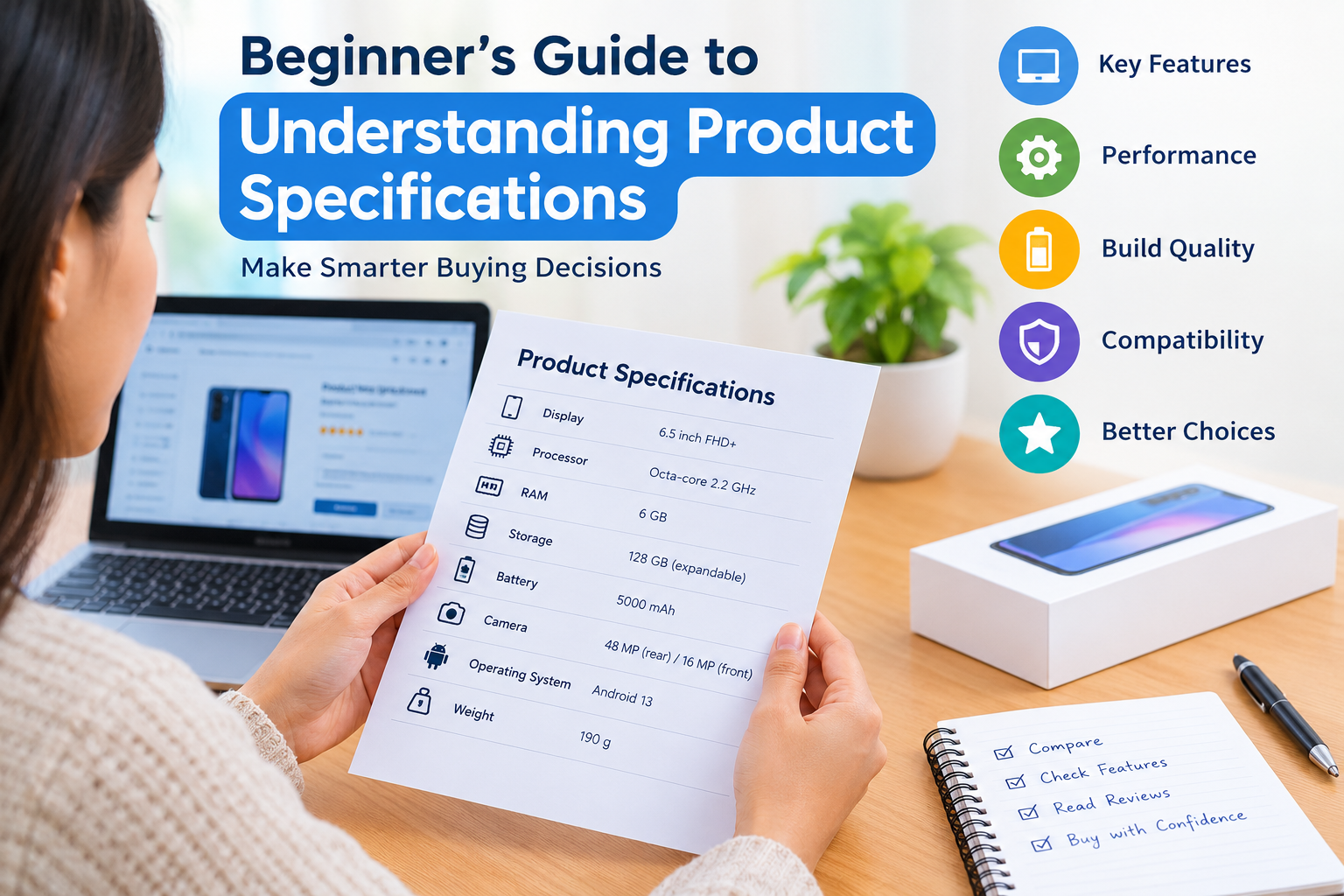
For example, when looking at a smartphone, you may see specifications for screen size, processor, RAM, storage, camera, battery capacity, operating system, and weight.
These details give you a clearer idea of what the product can offer. Instead of depending only on attractive product photos or marketing descriptions, you can use specifications to understand the actual features of a product.
I think of product specifications as an information sheet that tells me what is inside the product and what I can realistically expect from it.
Why Understanding Product Specifications Matters
Understanding product specifications is important because product descriptions can sometimes make everything sound impressive. A product may have many features, but that does not automatically mean it is the best choice for you.
For example, a laptop with a powerful processor may be excellent for professional work, but if you only need it for browsing, studying, and writing documents, you may not need to spend extra money on that level of performance.
Specifications help me focus on what matters instead of simply choosing the product with the biggest numbers.
They are especially useful when comparing several products in the same price range. Once you understand the specifications, you can identify meaningful differences and make a more informed decision.
Start With the Main Features
When I look at product specifications for the first time, I start with the main features. These are usually the specifications that have the biggest impact on how the product performs.
For a laptop, important specifications may include the processor, RAM, storage, display, battery, and operating system.
For a smartphone, I may focus on the processor, RAM, storage, screen, camera, battery, and software.
For a television, screen size, resolution, display technology, refresh rate, connectivity, and smart features may be more important.
The important point is that there is no single specification that matters for every product. The right specifications depend on how you plan to use the product.
Understanding Size and Dimensions
Size is one of the easiest specifications to understand, but it is also easy to overlook.
Product dimensions normally tell you the height, width, and depth of an item. These measurements can become very important when you have limited space.
For example, before buying a monitor, refrigerator, washing machine, or television, I would always check its dimensions. A product may look compact in an online photo but take up much more space in real life.
Weight is also important, especially for products that you carry regularly. If you are buying a laptop, tablet, camera, or portable speaker, checking the weight can help you decide whether it will be comfortable to carry.
Understanding Processor Specifications
Processors are commonly mentioned when comparing computers, laptops, smartphones, and tablets.
A processor is responsible for handling many of the calculations and instructions required by a device. You may see information about processor names, cores, clock speeds, and generations.
For beginners, processor names can be confusing. I recommend looking beyond the name and considering the overall performance of the device.
More processor cores can help with multitasking, while newer processor generations can offer improvements in performance and efficiency. However, a higher number does not always mean that one product is automatically better in every situation.
I prefer to compare processors within the same type of product and consider independent performance information when necessary.
Understanding RAM
RAM is another important specification, especially for computers and smartphones.
RAM allows a device to keep information available while applications are running. In simple terms, having enough RAM can make multitasking more comfortable.
For example, if I regularly use several browser tabs, office applications, communication apps, and other software at the same time, I would pay more attention to RAM.
However, more RAM is not always necessary for every person. Someone who mainly uses a device for simple browsing and basic tasks may not need the same amount of RAM as someone who edits videos or works with demanding software.
Understanding Storage Capacity
Storage tells you how much data a device can hold.
You may see specifications such as 128 GB, 256 GB, 512 GB, 1 TB, or larger capacities.
For smartphones and computers, storage can contain applications, documents, photos, videos, games, and other files.
When choosing storage, I think about how I normally use the device. If I take many photos and videos or install large applications, I prefer having more storage.
It is also important to check whether storage can be expanded. Some devices allow additional storage, while others have fixed internal storage.
Understanding Display Specifications
Display specifications are important for smartphones, laptops, monitors, televisions, and tablets.
Screen size is usually measured diagonally in inches. Resolution tells you how many pixels are used to create the image.
Common resolution terms include Full HD, QHD, and 4K. Generally, a higher resolution can provide more image detail, although the actual visual quality also depends on screen size, panel technology, brightness, color accuracy, and viewing distance.
Refresh rate is another specification you may encounter. It is measured in hertz. A higher refresh rate can make motion appear smoother, which can be particularly useful for gaming and other fast moving content.
For normal office work and everyday browsing, however, I would not choose a product based on refresh rate alone.
Understanding Battery Specifications
Battery information is particularly important for portable devices.
Smartphone batteries are often measured in milliamp hours, commonly written as mAh. A larger battery capacity can provide more potential battery life, but battery capacity alone does not tell the complete story.
Battery life also depends on the processor, display, software, network connection, brightness, applications, and how heavily the device is used.
I also check charging specifications. Fast charging can be useful when I need to recharge a device quickly.
For laptops, manufacturers may provide an estimated battery life. I treat these figures as general guidance because actual battery life can vary depending on usage.
Understanding Camera Specifications
Camera specifications can look impressive because manufacturers often highlight megapixels.
Megapixels describe the number of pixels captured by a camera, but more megapixels do not automatically mean better photos.
When I compare cameras, I also consider sensor quality, lens options, image stabilization, software processing, low light performance, video capabilities, and sample images.
This is a good example of why product specifications should not be viewed in isolation. One number rarely tells the whole story.
Understanding Connectivity
Connectivity specifications tell you how a product can connect with other devices, networks, or accessories.
You may see specifications such as WiFi, Bluetooth, USB, HDMI, NFC, Ethernet, or cellular network support.
Before buying a product, I check whether it supports the connections I actually need.
For example, if I plan to connect a laptop to an external monitor, I check which display ports are available. If I use wireless accessories, I check Bluetooth support.
Compatibility can save you from buying additional equipment later.
Understanding Build Quality and Materials
Specifications can sometimes include information about the materials used in a product.
You may see terms such as aluminum, plastic, glass, stainless steel, or other materials.
Material can affect appearance, weight, durability, and overall feel.
However, I do not rely on the material specification alone. I also look at product reviews and real world experiences to understand how well the product holds up over time.
Do Not Focus Only on the Biggest Numbers
One mistake I often see beginners make is assuming that the product with the highest numbers must be the best.
This is not always true.
A phone with more megapixels may not have the best camera. A laptop with more RAM may not have the best overall performance. A television with a larger screen may not provide the best picture quality.
Specifications need to be considered together.
I recommend asking a simple question before buying: “Does this specification actually matter for the way I will use this product?”
That question can help prevent unnecessary spending.
Compare Specifications Before Buying
One of the easiest ways to understand product specifications is to compare two or three products side by side.
I usually make a simple list of the specifications that matter most to me. Then I compare those specifications rather than trying to understand every technical detail.
For example, when comparing laptops, I might focus on processor, RAM, storage, display, battery, weight, operating system, and price.
This approach makes shopping less confusing and helps me identify which product provides the features I actually need.
Read Product Reviews Along With Specifications
Product specifications provide technical information, but reviews can provide practical information.
Before making an important purchase, I recommend reading several reviews from reliable sources and real customers.
Reviews can reveal information that may not appear in the official specifications, such as keyboard comfort, software problems, heating, battery performance in everyday use, build quality, or customer service experiences.
I use specifications to understand what a product is supposed to offer and reviews to understand how it may perform in real life.
Check the Manufacturer Information
I also recommend checking the official manufacturer information before buying.
Retailer listings can sometimes contain incomplete or incorrect specifications. The manufacturer’s product page is usually a better place to confirm important details.
This is especially useful for checking dimensions, compatibility, supported standards, included accessories, warranty information, and technical features.
Think About Your Own Needs
The most important lesson I have learned about product specifications is that the best product is not necessarily the product with the most impressive specifications.
The best product is the one that matches your needs and budget.
A student may prioritize battery life, portability, and storage. A gamer may care more about graphics performance, refresh rate, and cooling. A professional may need a powerful processor, plenty of RAM, and a high quality display.
Your priorities should guide your decision.
Final Thoughts
Understanding product specifications may seem difficult at first, but it becomes much easier with practice. You do not need to understand every technical term before buying a product. Start with the specifications that directly affect your intended use.
Check the main features, compare products, understand important numbers, verify compatibility, read reviews, and consider your budget.
In my opinion, learning how to read product specifications is one of the simplest ways to become a smarter online shopper. Instead of choosing a product only because it looks attractive or has a popular name, you can understand what you are actually paying for.
Once you become comfortable with product specifications, comparing products becomes faster and more practical. You can make buying decisions with greater confidence and avoid spending money on features you may never use.